Hero banner — Google CRM dashboard or campaign asset repository overview

Google · IBM · CRM Platform

Campaign Asset CRM

Designing a centralized CRM platform for Google's campaign teams, replacing scattered spreadsheets with a scalable Salesforce-based repository — on-site at Google's Sunnyvale office.

Role

Senior UX Designer

Company

IBM

Client

Google

Platform

Web · Salesforce

Google's campaign teams had no centralized system for managing campaign assets and customer references. Account managers relied on scattered spreadsheets, shared drives, and tribal knowledge to find, track, and share campaign materials across teams. There was no single source of truth — the same asset might exist in three different locations with three different naming conventions, and no one could say with confidence which version was current.

IBM placed me on-site at Google's Sunnyvale, California office to design a CRM platform that would replace this fragmented workflow with a scalable, searchable repository built on Salesforce Lightning.

The problem — fragmented asset workflow across spreadsheets, drives, and email

The existing workflow: campaign assets scattered across spreadsheets, shared drives, and email chains with no centralized tracking.

Working on-site gave me direct access to account managers, campaign coordinators, and team leads. I conducted stakeholder interviews and workflow audits to understand how campaign assets moved through the organization. The core tension was immediately clear: Google needed deep, structured metadata for internal tracking and reporting, but account managers needed speed — they wanted to find an asset, grab it, and move on.

The research also revealed a less obvious problem: customer references. When a sales team needed a reference for a prospect, there was no structured way to search for relevant customer stories by industry, product, region, or campaign type. People relied on personal networks and memory. This meant high-value reference assets were being underutilized simply because they were invisible to most of the organization.

Research artifacts — information architecture, user flows, or taxonomy mapping

Mapping the information architecture for campaign assets — balancing Google's metadata depth with the speed account managers needed for daily use.

The key design decision was progressive disclosure. Rather than forcing users to confront the full complexity of campaign metadata up front, I designed a layered interface: a clean, scannable surface view showed the essential information — asset name, campaign, status, owner — while expandable detail panels gave power users access to the full metadata taxonomy without cluttering the default experience.

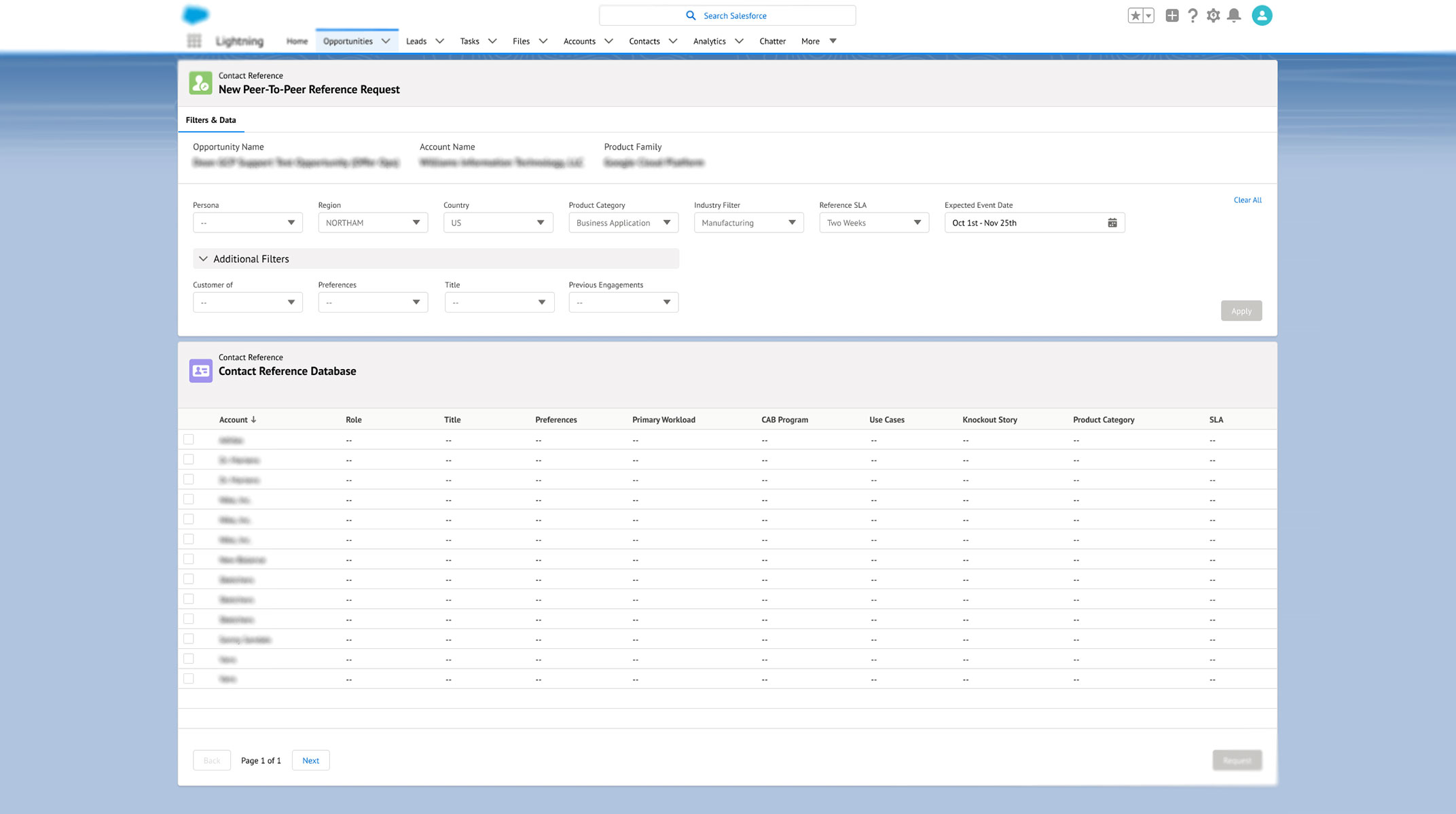
For the customer reference system, I designed a structured search model that let sales teams filter references by industry, product line, region, and campaign type. Each reference record linked directly to the associated campaign assets, so a sales team could find a relevant customer story and immediately access all the materials tied to it.

All of this was built within the Salesforce Lightning Design System, which constrained certain layout choices but also meant the platform would be maintainable by Google's existing Salesforce team without custom engineering support. I worked within those constraints deliberately — the goal wasn't a bespoke tool but a sustainable one.

Progressive disclosure — collapsed vs. expanded views of a campaign asset record

Progressive disclosure in practice — the clean default view versus the expanded detail panel, letting users access full metadata only when they need it.

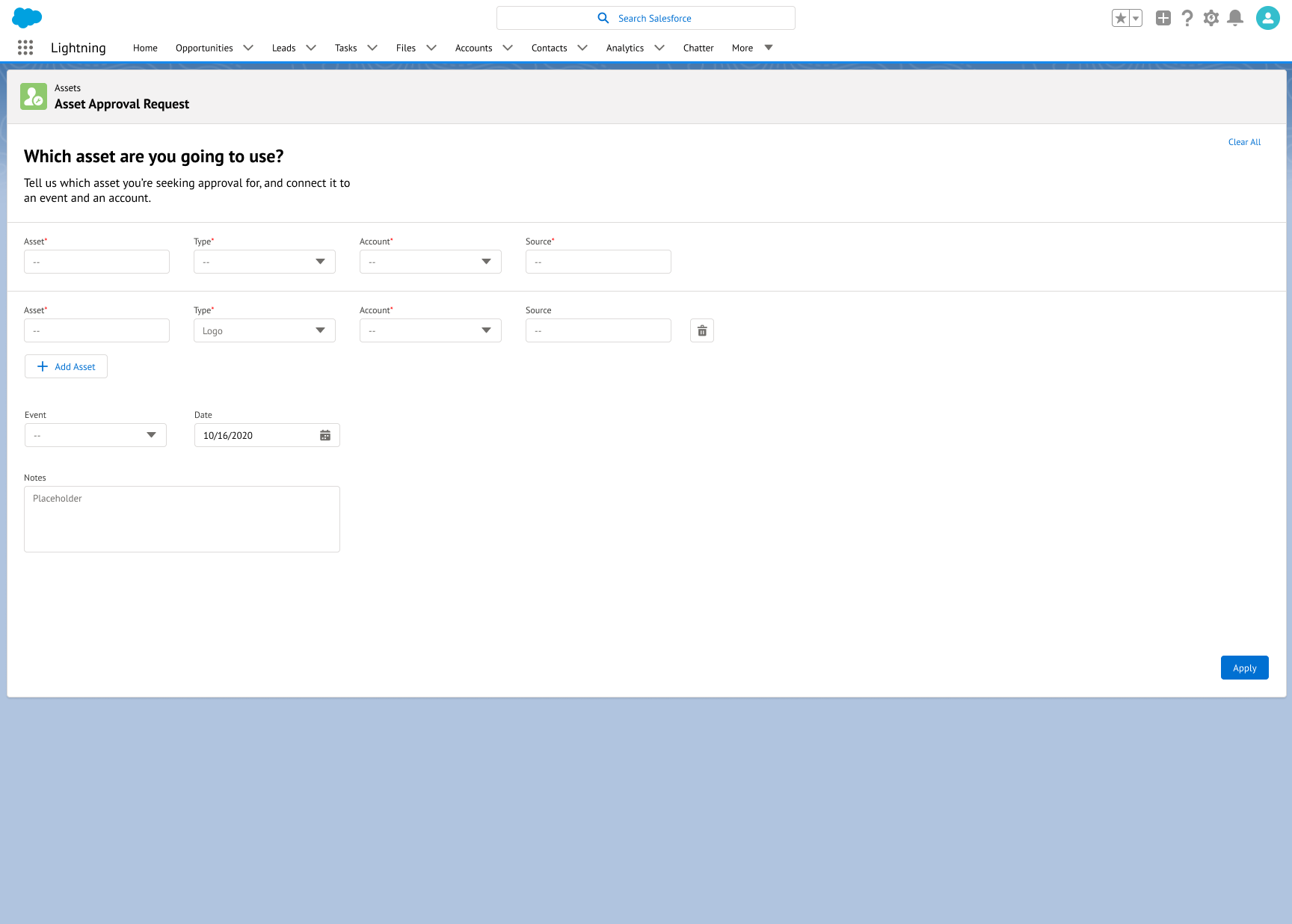
The reference system became one of the most impactful parts of the platform. Previously, finding a relevant customer story for a sales pitch meant asking around — sending emails, pinging Slack channels, hoping someone remembered the right contact. I designed a structured repository where every customer reference was tagged with searchable metadata: industry vertical, product line, region, deal size, and campaign type.

The design challenge was making structured data entry feel lightweight. If tagging a reference took too long, people wouldn't do it, and the system would fail the same way the spreadsheets did — through neglect. I designed the intake form to pre-fill as much metadata as possible from the linked campaign record and kept the manual fields to the minimum needed for useful search. The tradeoff was accepting slightly less granular tagging in exchange for dramatically higher adoption.

Google CRM customer reference form

The Customer Reference form — designed to pre-fill metadata from linked campaign records, keeping manual entry lightweight to drive adoption.

Beyond individual screens, my role was to establish reusable design patterns that would scale as the platform grew. I documented a pattern library covering record layouts, search and filter interactions, detail panel behaviors, and form conventions — all aligned with Salesforce Lightning standards but tailored to Google's specific workflow needs.

This documentation was critical because the platform would be built and maintained by engineering after my engagement ended. Every pattern I delivered included interaction specifications, edge case handling, and rationale for design decisions — so the engineering team could make informed tradeoffs during implementation without needing to re-derive the design intent.

Pattern library — reusable components, interaction specs, and design documentation

The pattern library I delivered to engineering — reusable layouts, interaction specs, and documented rationale to ensure consistent implementation.

The CRM platform I designed replaced Google's ad-hoc spreadsheet system with a centralized, searchable repository for campaign assets and customer references. Account managers could find relevant materials in seconds rather than relying on memory and email chains. The structured reference system surfaced customer stories that had previously been invisible to sales teams, increasing the usable reference pool without requiring anyone to create new content.

The progressive disclosure model solved the metadata tension — Google got the structured data they needed for reporting while account managers got the speed they needed for daily work. And because the entire platform was built within Salesforce Lightning standards with a documented pattern library, Google's internal team could extend and maintain it without specialized design support.

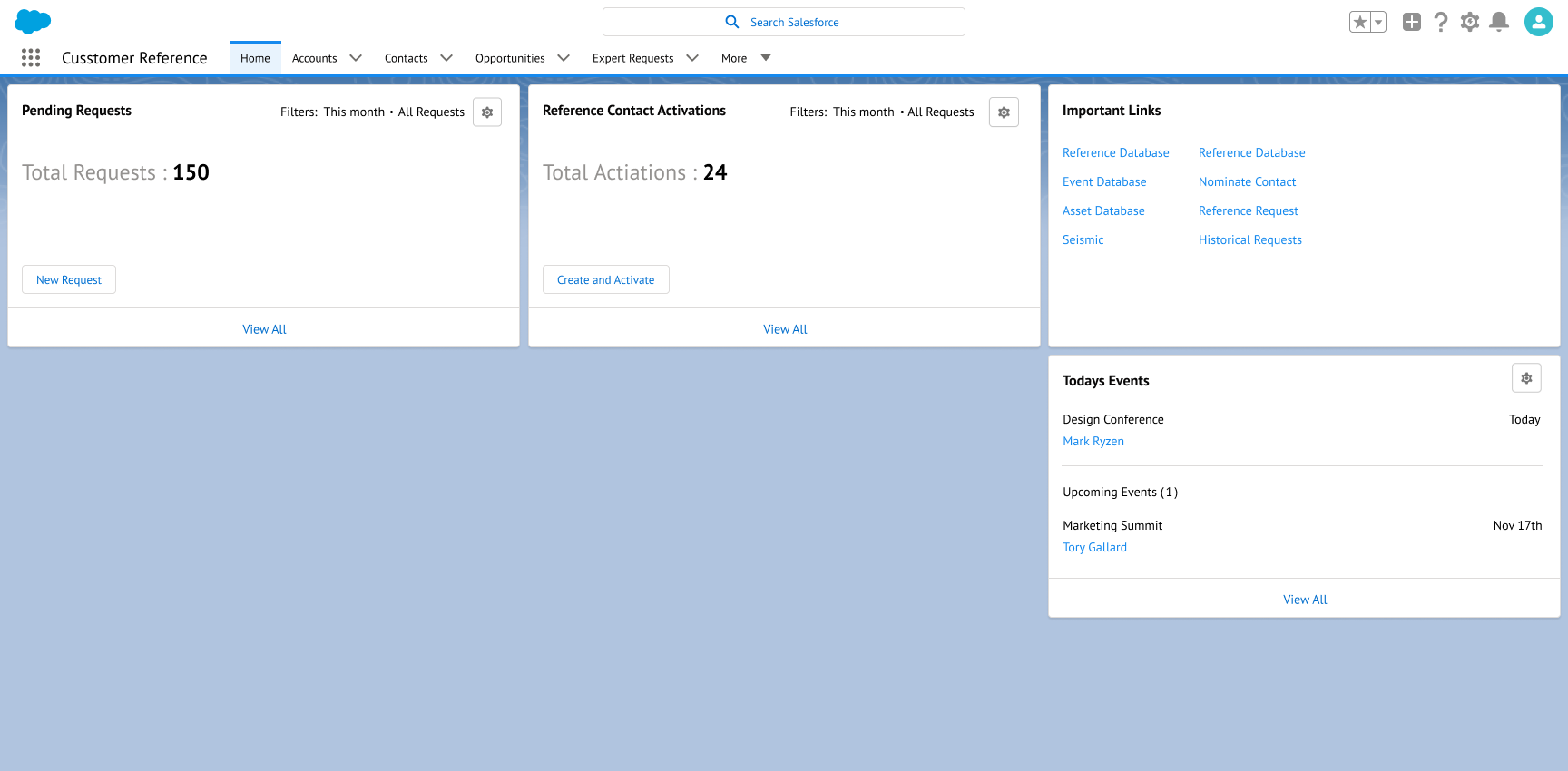
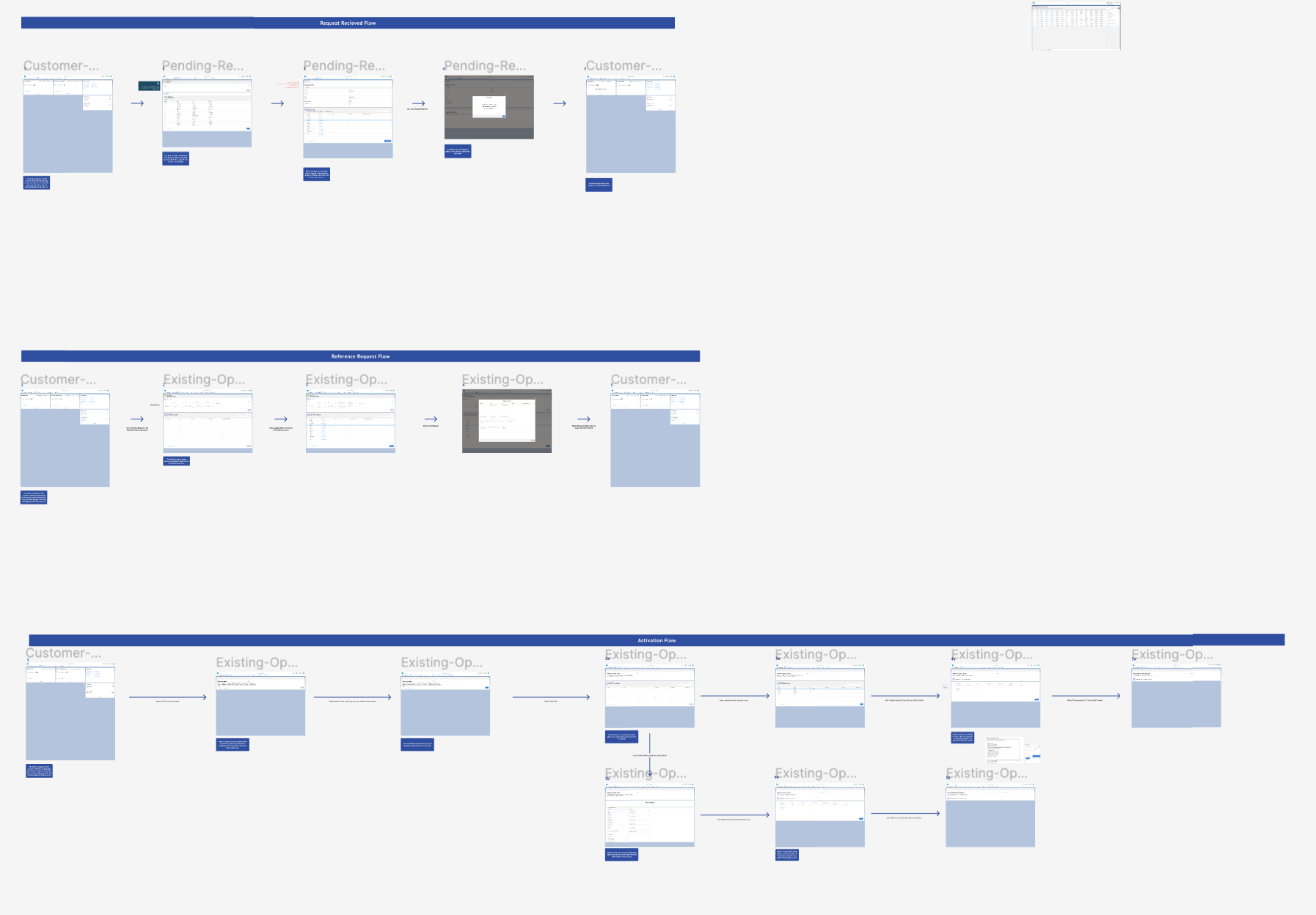
Final CRM platform — dashboard, search, reference records, and asset repository

The finished Campaign Asset CRM — a centralized platform replacing scattered spreadsheets with structured, searchable campaign management.

Previous Builder Suite Next Other Projects